
Effective digital case management is the foundation of a modern, organized funeral home. It centralizes every piece of information for a case—from first call notes to final billing—into a single, secure system accessible to your entire team. This approach reduces the risks of lost paperwork, prevents duplicate data entry, and gives you a clear view of every service you are directing.
What Is Digital Case Management in a Funeral Home?
In a funeral home, case management has always been the process of collecting, organizing, and tracking all the information and tasks related to a deceased person and their family. Traditionally, this involved a physical file folder filled with handwritten notes, forms, contracts, and checklists. Digital case management moves this entire process into a secure software environment, creating a single source of truth for every case.
This isn't just about scanning documents. A true digital system connects all the pieces. The information you enter during the first call is used to automatically populate the death certificate worksheet, the contract, and other necessary forms. The merchandise selected in the arrangement conference is tied directly to the invoice. Every task, from scheduling the removal to ordering the vault, is tracked in a central checklist visible to everyone involved.
The goal is to eliminate information silos and manual re-entry. When your arranger, director, administrator, and accounting staff all work from the same live data, the potential for costly administrative errors plummets. Instead of searching for a physical folder or calling a colleague for a status update, your team has immediate access to the information they need, when they need it.
The Core Components of a Digital Case File
A comprehensive digital case management system mirrors and improves upon the traditional paper file. It organizes information into logical sections that follow the natural workflow of a funeral service. While specific layouts vary, a robust system will include dedicated areas for the following core components.
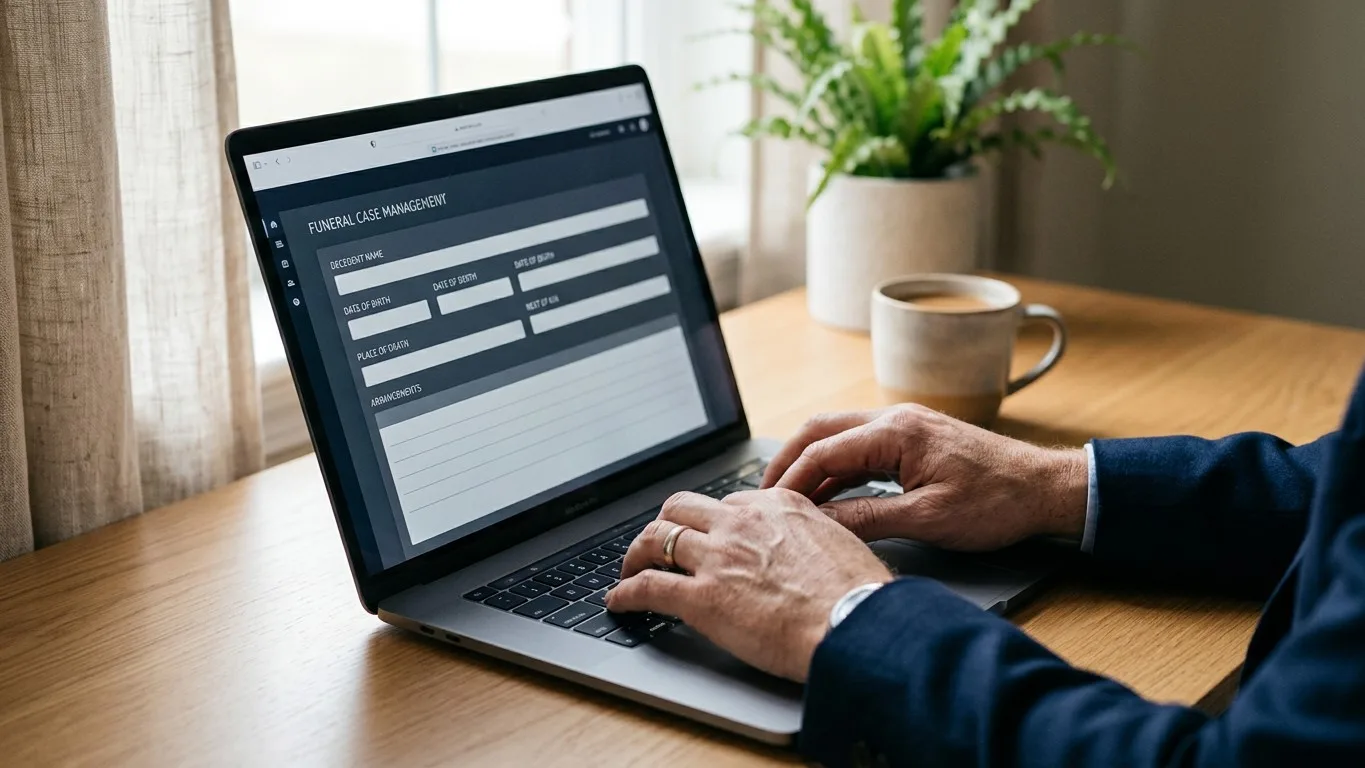
Decedent and Family Information
This is the heart of the case file. It begins with the first call and expands throughout the arrangement process. Key fields include:
- Decedent Information: Full legal name, date and time of death, place of death, social security number, and other vital statistics required for official documents.
- Next of Kin and Informant Details: Contact information, relationship to the decedent, and legal authority for making arrangements. This section should allow for multiple family contacts.
- Physician and Certifier Information: Contact details for the attending physician or medical examiner responsible for signing the death certificate.
- Veteran Status: Information necessary for coordinating military honors and VA benefits, such as branch of service and discharge papers.
In a digital system, this information is entered once and then flows through to all related documents, eliminating the hidden costs of duplicate data entry.
Arrangement and Service Details
This section captures the family's wishes and translates them into an actionable plan. It documents every decision made during the arrangement conference.
- Service Type: Details about the type of service, such as traditional funeral, memorial service, graveside, or direct cremation.
- Locations, Dates, and Times: Specifics for the visitation, funeral service, committal, and any other related events.
- Clergy and Officiant Information: Contact details and any specific instructions or honorariums.
- Music, Pallbearers, and Participants: Names and roles for everyone participating in the service.
Contracts, Forms, and Authorizations
This is where the system’s ability to generate documents from case data becomes critical. Instead of manually typing information into templates, the software should create accurate, professional documents with a few clicks.
- Statement of Funeral Goods and Services: Automatically itemizes all selected services and merchandise, calculates the total cost, and presents it in a compliant format.
- Authorizations: Generates forms for embalming, cremation, or release of remains, pre-filled with the correct names and case details.
- E-Signatures: Modern systems allow you to send these documents to families for remote electronic signature, which is more convenient for them and provides you with a secure, auditable record.
- State-Specific Forms: The platform should accommodate the specific forms required by your state or provincial regulatory bodies, such as burial transit permits or death certificate worksheets.
Financials and Billing
Integrated accounting ensures that financial records are always tied directly to the services rendered. This prevents items from being missed on the final bill and gives you a clear view of your firm's financial health.
- Price List Integration: Connects directly to your General Price List (GPL) to ensure accurate and consistent pricing on every contract.
- Payment Tracking: Records all payments made, whether by check, credit card, or insurance assignment, and shows the outstanding balance.
- Invoicing and Reporting: Generates final invoices and provides financial reports on a per-case or firm-wide basis.
How Digital Case Management Improves Daily Operations
Adopting a digital system is more than an upgrade in technology; it's a fundamental improvement to your funeral home's workflow. The benefits are felt daily by every member of your team, from the apprentice on a removal to the owner reviewing monthly financials. It brings a new level of order and predictability to a profession that is, by its nature, unpredictable.
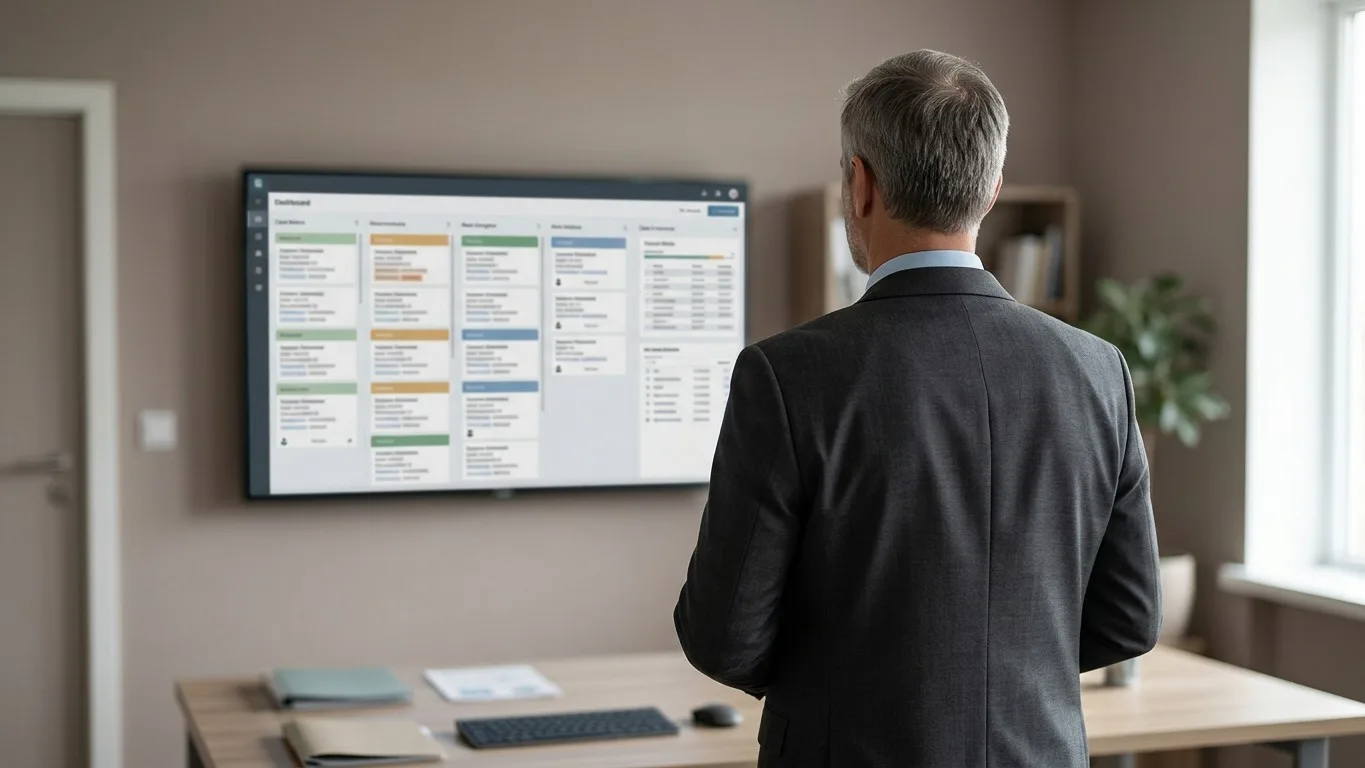
For funeral directors managing multiple services, a central dashboard showing the status of every active case is invaluable. You can see at a glance which death certificates are pending, which families need to sign authorizations, and which tasks are due today. This high-level view prevents details from falling through the cracks, especially when you are coordinating several complex services at once. It’s a powerful tool for managing multiple funeral services with precision.
For administrative staff, the reduction in manual data entry is a significant relief. When information from the first call automatically populates contracts and forms, it not only saves time but also drastically reduces the chance of typos and inconsistencies. This frees them up to focus on higher-value tasks, like coordinating with clergy or assisting families with paperwork, rather than spending hours transcribing information from one document to another.
Collaboration across your team becomes smoother. An arranger can update a case file with a family's final selections, and the administrator can immediately generate the updated contract without having to wait for a physical folder to be passed over. A director on the road can access case details from a tablet to confirm service times with a cemetery, confident they are looking at the most current information. This level of shared access ensures everyone is working from the same page, which is essential for providing seamless, professional service.
Implementing Digital Case Management in Your Firm
Transitioning from a paper-based system to a digital one requires careful planning and a commitment from your entire team. It's a significant operational change, but a phased, thoughtful approach can make the process smooth and successful.
Step 1: Choose the Right Software
Not all funeral home software is created equal. Look for a platform that is intuitive, secure, and built by people who understand the unique demands of funeral service. Consider whether a cloud-based or on-premise solution is right for you. Cloud-based systems, like Kindred, offer the flexibility to access case files from anywhere, with no servers to maintain and automatic backups for data security.
During your evaluation, request a full demonstration with your key staff members present. Ask the vendor to walk you through a complete case, from first call to final billing. Ensure the software can handle your specific workflows, generate your state-required forms, and integrate with any other systems you rely on, like your accounting software or answering service.
Step 2: Plan the Data Migration
Decide how you will handle your existing and historical case files. You have a few options:
- Full Historical Import: Some firms choose to scan and import all past case files into the new system. This is a large undertaking but creates a complete digital archive.
- Active Cases Only: A more common approach is to enter all currently active and pre-need cases into the new system. Past cases remain in their physical files for archival purposes.
- Day-Forward Approach: The simplest method is to start all new cases in the digital system from a specific date forward, while finishing existing cases in the old paper system.
Your software provider should offer guidance on the best strategy for your firm and may provide services to assist with data migration.
Step 3: Train Your Team
Thorough training is the most critical factor for successful adoption. Schedule dedicated time for your entire staff to learn the new system, away from the daily pressures of phone calls and arrangements. The training should be hands-on, allowing each person to walk through the tasks they will be responsible for.
Focus on the "why" behind the change. Explain how the new system will make their jobs easier, reduce errors, and ultimately help the firm better serve families. When the team understands the benefits, they will be more invested in learning and using the new tools correctly.
Step 4: Go Live and Refine
Choose a start date and commit to it. For the first few weeks, expect a learning curve. Hold regular check-in meetings to address questions and solve any workflow issues that arise. It's important to have a responsive support contact at your software provider who can quickly answer questions and provide help.
Be open to refining your processes. A new system is an opportunity to look at your old workflows and see where they can be improved. You may discover more efficient ways to handle tasks now that you have better tools at your disposal.
Advanced Features to Look For
Once you have the basics of digital case management in place, you can explore more advanced features that further streamline operations and enhance the family experience.
Family-Facing Portals
A secure, branded online portal allows families to engage with the funeral home on their own time. Through the portal, they can fill out vital information forms, review and sign documents, and see important updates. This reduces the number of phone calls and emails needed for administrative tasks and gives families a sense of control and transparency. Kindred provides a family portal where families can complete forms and communicate directly with your team, all within a secure environment.
AI-Powered Assistance
Modern platforms are beginning to incorporate AI to help with administrative tasks. For example, some systems can listen to a recorded arrangement conference and generate a transcript, a summary of decisions, and a list of action items. Other tools can read handwritten notes from a first call sheet and suggest fields to populate in the digital case file. These tools are designed to assist, not replace, the director. A person always reviews and confirms the information, but the initial work of transcription and data entry is handled by the software, saving valuable time.
Integrated Websites and Obituaries
When your case management system is connected to your funeral home's website, you can publish obituaries directly from the case file. This eliminates the need to re-type the obituary text and service details, ensuring the information on your website is always accurate. Families can also share the obituary easily, and integrations with online flower stores can provide a seamless experience for friends and family wishing to send condolences.
A Foundation for Compassionate Service
Digital case management is not about replacing the human element of funeral service. It is about building a strong, reliable operational foundation that frees you to focus on what matters most: caring for families. By organizing the administrative details with precision and efficiency, you create more time and mental space for the compassionate, personal guidance that only a funeral director can provide.
A well-managed case file, whether paper or digital, is a sign of professionalism. It demonstrates to families that every detail is being handled with care. In a digital world, a centralized, secure, and accessible system is the most effective way to deliver on that promise. It ensures that your team can work together seamlessly to create a dignified and smoothly run service, honoring the life of the deceased and supporting the family through their grief.
If you're ready to see how a modern case management system can bring calm and order to your operations, we invite you to book a demonstration of Kindred. We'd be happy to show you how our platform handles the entire case lifecycle, from first call to final disposition.