Streamlining funeral home operations feels like a contradiction. The work of serving families is deeply personal and resists being rushed, yet the administrative burden behind each service is immense. The key is to see operational efficiency not as a way to cut corners, but as a method to create more time for the human connections that matter most. By refining your processes, you can reduce staff stress and dedicate more focused, compassionate attention to each family.
Map Your Current Workflows from First Call to Final Disposition
Before you can improve your operations, you must have a clear, honest picture of how they currently work. Many funeral homes run on systems that have evolved over years, with informal steps and workarounds that are second nature to senior staff but confusing for new hires. The first step to streamline your funeral home operations is to make the invisible visible by mapping your entire workflow.
Gather your team—directors, arrangers, administrative staff, and apprentices—and trace the journey of a single case. Use a large whiteboard or sheets of paper to document every action and piece of information from the first call to the final follow-up. Break it down into distinct phases:
- First Call: What specific information is gathered? Where is it recorded initially (a notebook, a form, a software system)? How is the on-call director notified? What happens if the first call comes in while another family is being served?
- Transfer of Deceased: How are staff and vehicles dispatched? Who tracks their status? How is the chain of custody documented upon arrival at the funeral home?
- Arrangement Conference: What forms are completed? How is information from the first call sheet transferred to contracts and other documents? Where do families experience delays or confusion?
- Service Coordination: How are tasks assigned for drafting obituaries, ordering merchandise, scheduling staff, and coordinating with third parties like clergy, cemeteries, and florists? How is progress tracked?
- The Service: How is staff briefed? How are vehicles and equipment prepared and scheduled? What is the process for managing last-minute changes?
- Post-Service Administration: Who is responsible for filing the death certificate, sending billing statements, and ordering certified copies? How does your firm handle aftercare and follow-up?
As you map this process, ask your team to identify the pain points. Where does information get entered more than once? Where do communication breakdowns occur? Where do tasks get dropped? This map becomes your blueprint for targeted improvements. A detailed checklist can provide a strong foundation for this exercise, ensuring no step is overlooked. For a comprehensive list of tasks, you can reference The Complete Funeral Director Checklist: From First Call to Final Disposition.
Identify and Eliminate Redundant Data Entry
One of the most significant drains on a funeral home's time and resources is duplicate data entry. The vital statistics you collect on the first call are often typed again into a case file, then again onto a death certificate worksheet, then again onto an embalming report, a cremation authorization, a statement of goods and services, and an obituary. Each instance of re-typing not only consumes valuable staff time but also introduces a new opportunity for error. A single transposed digit in a social security number or a misspelled name can cause significant delays and distress for a family.

To combat this, your goal should be a single-entry system where information is captured once and then flows automatically to every document and form that needs it. Start by auditing your paperwork. Collect a copy of every form used in a typical case and highlight the fields that are repeated across documents. You will likely find that a core set of information—names, dates, addresses, and vital statistics—appears on the vast majority of your paperwork.
Once you have identified the redundant fields, you can look for solutions:
- Consolidate Internal Forms: Can you combine multiple internal worksheets into a single, more comprehensive document? For example, could your first call sheet and your main case file worksheet be merged?
- Use Document Templates: For documents created in word processors, create templates that use mail-merge fields. This allows you to populate a master data source (like a spreadsheet) and automatically generate multiple documents from it. While better than manual re-typing, this method can still be cumbersome and prone to errors if the data source isn't meticulously managed.
- Adopt a Centralized Software System: The most effective way to eliminate duplicate data entry is with funeral home management software. Systems like Kindred are built around a central case file. When you enter the decedent's information once, Kindred uses it to automatically populate contracts, state-specific forms, and other essential documents. This not only saves hundreds of keystrokes per case but also ensures consistency and accuracy across all paperwork.
The time saved by eliminating this single inefficiency is substantial. It's time your staff can reinvest in proofreading the obituary one last time, making a follow-up call to a grieving spouse, or simply taking a moment to breathe between appointments. Reducing this administrative friction is a direct investment in the quality of your personal service.
Standardize Communication and Task Management
In a busy funeral home, clear communication isn't a luxury; it's the foundation of seamless service. Misunderstandings about service times, forgotten tasks, or uncertainty about who is responsible for what can lead to mistakes that undermine a family's trust. Relying on sticky notes, hallway conversations, and cluttered whiteboards is a recipe for stress and error, especially when managing multiple funeral services at once.
Standardizing how your team communicates and manages tasks creates a reliable, predictable environment where everyone knows what needs to be done, who is doing it, and when it is due. This doesn't mean eliminating personal conversations, but rather supplementing them with a central, accessible system that serves as the single source of truth.
Consider these strategies for improving your internal communication workflows:
Centralize Your Schedule
A physical whiteboard in the prep room is a classic tool, but it fails the moment someone needs information and isn't standing in front of it. A director on the road can't confirm a visitation time, and an administrator in the front office might not see a last-minute change to a vehicle assignment. A centralized digital calendar or scheduling tool that is accessible to all staff members on any device is a far more robust solution. It should track services, visitations, removals, staff assignments, and vehicle usage in one place, ensuring there are no double-bookings or scheduling conflicts.
Use Digital Checklists for Every Case
Instead of relying on memory or paper checklists that can get lost, use a digital checklist system for every case. A master checklist can be customized for different service types (e.g., traditional burial vs. direct cremation) and assigned to the lead director. As tasks are completed, they are checked off, providing real-time visibility into the status of each case for the entire team. This prevents tasks like ordering the death certificates or submitting the obituary from being overlooked. Modern funeral home software often includes customizable checklists tied directly to each case file.
Define Communication Channels
Establish clear guidelines for how different types of information should be shared. For example:
- Urgent Updates: A phone call or direct message for immediate needs, like a change in the time of death or an urgent family request.
- Case-Specific Information: All notes, documents, and updates related to a specific family should be stored within that case's digital file, not in personal email inboxes or text message threads. This ensures any team member who needs to assist the family has access to the complete history.
- General Announcements: A team messaging app or a daily morning huddle can be used for general updates that don't pertain to a single case.
When your team isn't constantly chasing information or worrying about what might have been missed, they can be more present and attentive during their interactions with families. This structured approach to communication directly enhances the personal, compassionate care you provide.
Leverage Technology to Enhance the Family Experience
Technology should not create a barrier between you and the families you serve. When chosen and implemented thoughtfully, it can remove administrative hurdles and create a more supportive and responsive experience for them. The goal is to use tools that handle logistical burdens, giving families the space to focus on grieving and remembering.
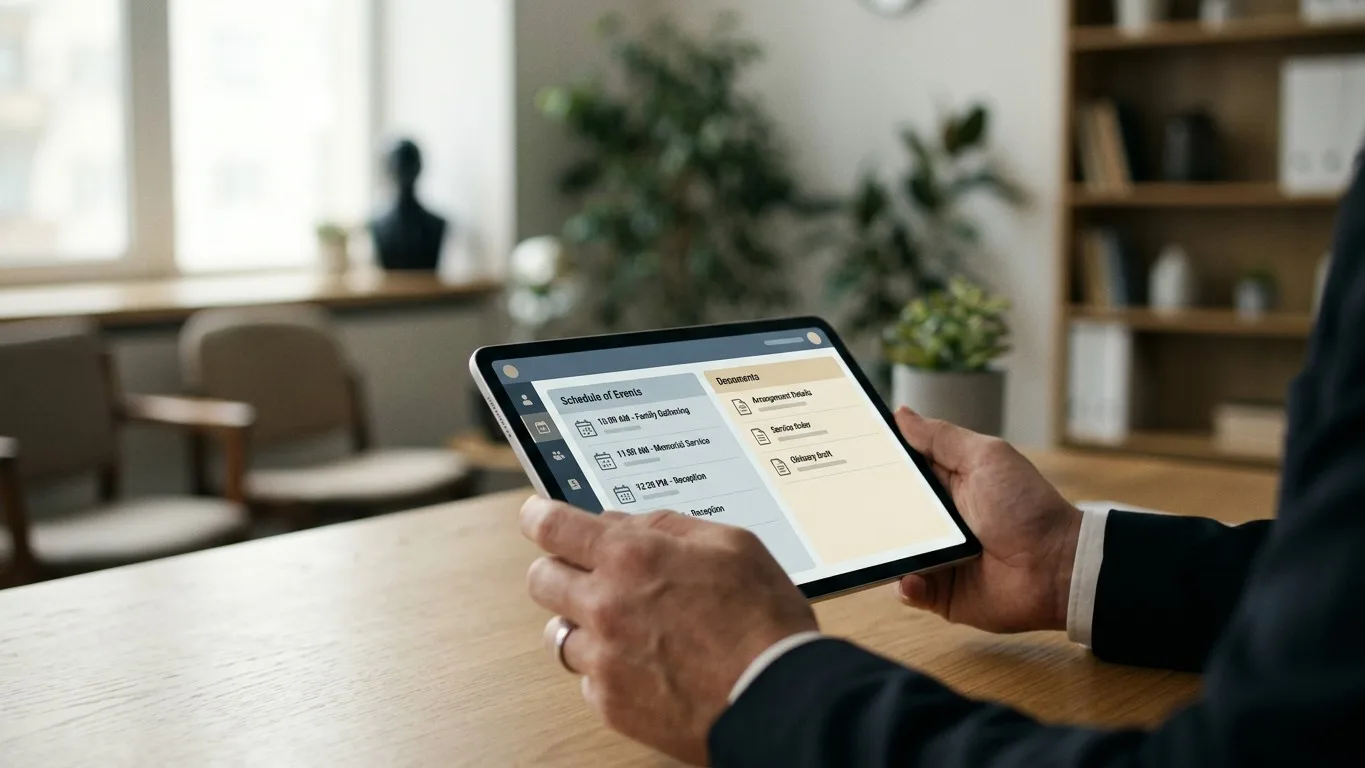
One of the most impactful areas is paperwork. Families are often overwhelmed with documents that require signatures at a time when they are least able to focus. Instead of requiring them to come to the funeral home for every signature, consider using a system that allows for secure electronic signatures. This small convenience can be a profound relief for a family member who is out of state or has difficulty traveling. With Kindred, for example, contracts and authorization forms can be sent to a family's email for them to review and sign securely from their own home.
Another area is communication and information sharing. Families often have questions outside of business hours or need to share information with relatives spread across the country. A secure, branded family portal can be an invaluable tool. This online space allows families to:
- Complete Forms: Fill out vital statistics worksheets or obituary information at their own pace.
- Review Documents: View drafts of the contract or obituary before they are finalized.
- Stay Informed: See a clear schedule of events and receive updates from the funeral director.
- Collaborate: Share access with other family members to coordinate details and decision-making.
This self-service option reduces the number of administrative phone calls your staff has to field and gives families a sense of control and clarity during a chaotic time. It centralizes communication, preventing the director from being caught between conflicting instructions from different family members.
Finally, technology can help create lasting tributes. Assisting a family in building a digital memory book or an online obituary with a photo gallery provides a permanent, shareable space for friends and relatives to connect and share memories. Built-in AI tools can even help a director and family co-create a first draft of an obituary during the arrangement conference, turning a daunting writing task into a collaborative storytelling experience. By using these tools to facilitate, not replace, the human element, you make the process of honoring a loved one more meaningful and less stressful.
Conclusion: Efficiency as an Act of Service
To streamline funeral home operations is not to diminish the art of funeral service but to protect it. By mapping your workflows, eliminating redundant tasks, standardizing communication, and using technology to support families, you remove the internal friction that causes staff burnout and leads to errors. The time and mental energy you reclaim are directly transferred to the families in your care—in the form of more patient arrangement conferences, more thoughtful follow-up, and a calmer, more reassuring presence. A well-organized funeral home is the silent foundation upon which true, personal service is built.
Kindred was designed by funeral directors to manage the operational details so you can focus on families. If you're ready to see how a single, cloud-based system can bring calm and consistency to your firm, we invite you to book a demonstration with our team.