
Funeral home administrative tasks are the foundation of a well-run funeral home, but they can consume hours that are better spent with families. From managing paperwork to coordinating services, the administrative burden is significant and never-ending. The key to managing these essential duties is not to work longer hours, but to work smarter by optimizing your processes and adopting modern tools designed for the unique demands of funeral service.
By focusing on efficiency in your back office, you can reduce errors, lower staff stress, and reclaim valuable time. This guide outlines seven practical strategies to streamline your funeral home's administrative tasks, allowing you and your team to focus on providing compassionate care.
1. Adopt a Single-Entry Case Management System
How many times does your staff enter the same piece of information for a single case? The decedent’s name, date of birth, and next-of-kin details are typed into a first call sheet, then again into a case file, then onto contracts, authorization forms, and finally into an obituary notice. Each instance of manual data entry is not just time-consuming; it’s an opportunity for a costly error.
A typo in a name or a date on a legal document can cause significant distress for a family and create legal and operational problems for your firm. The solution is to eliminate the hidden costs of duplicate data entry with a single-entry system. A modern funeral home management platform is built on this principle. Information is entered once during the first call or arrangement conference and then automatically populates every document, form, and record associated with that case.
This approach ensures consistency and accuracy across all paperwork. The name entered at the start is the same name that appears on the statement of goods and services, the cremation authorization, and the final death certificate. This not only saves countless hours of repetitive typing but also projects a high level of professionalism and attention to detail that families notice and appreciate.
2. Automate Document and Form Generation
The sheer volume of paperwork in funeral service is immense. Each case requires a stack of documents, from contracts and price lists to state-specific regulatory forms, veteran benefit applications, and internal checklists. Manually preparing these documents is a slow, tedious process that diverts your staff's focus from more meaningful work.
Automating document generation is a direct way to reclaim that time. Instead of pulling up templates and manually typing or copying and pasting case information, your team can generate a complete, accurate set of documents with a single click. A robust management system allows you to create a library of your firm’s custom forms and the most current state and federal forms.
When a new case is created, the system uses the information already entered—like the decedent's personal details and the family's service choices—to pre-fill every relevant field. This ensures that every form is filled out correctly and consistently, using the most up-to-date templates. It eliminates the risk of an employee using an outdated version of a form, which can lead to compliance issues. Regulations vary by state, so it's always important to confirm local requirements, but an automated system provides a strong foundation for accuracy.
3. Implement E-Signatures and a Family Portal
The arrangement process has traditionally required families to be physically present to sign documents. This can be a logistical challenge for next-of-kin who live out of town or have demanding schedules. The cycle of printing, signing, scanning, and emailing documents is cumbersome for both your staff and the families you serve.
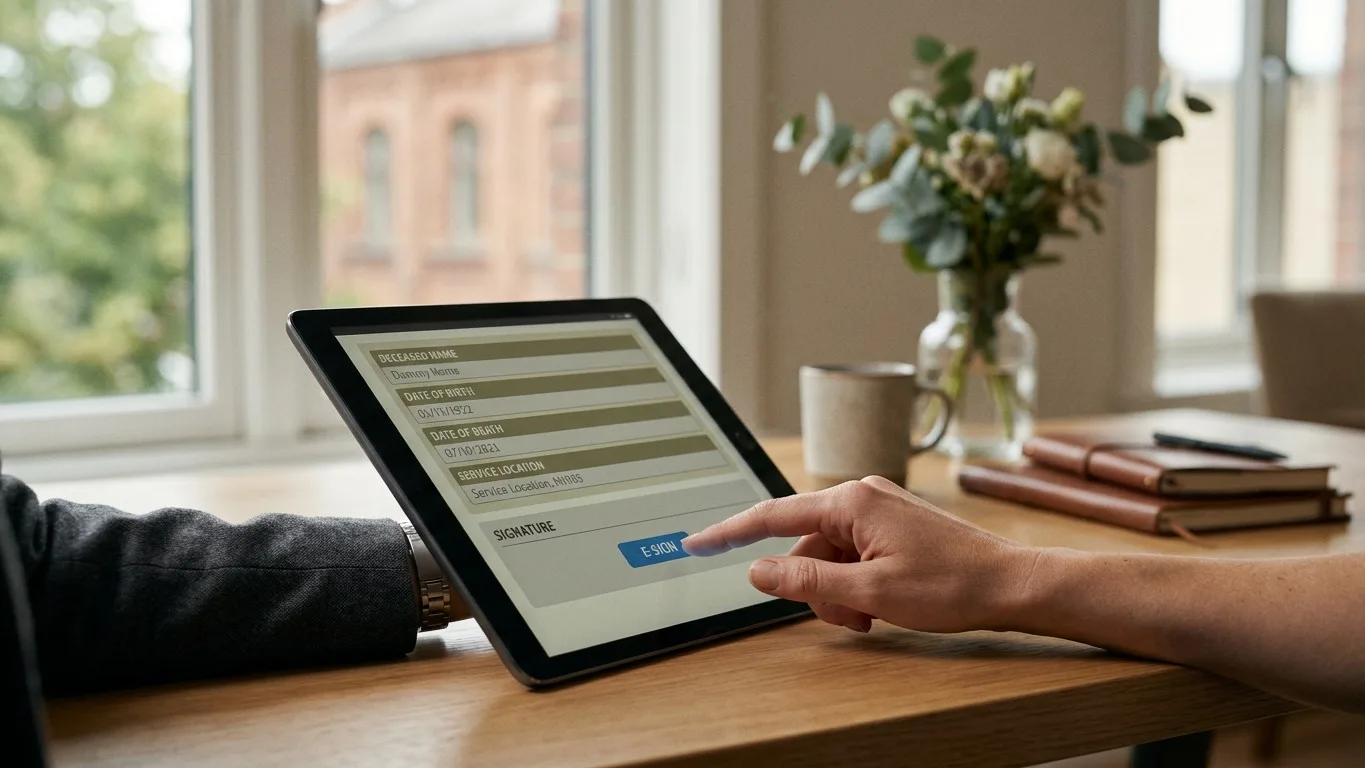
Implementing e-signatures and a secure family portal removes these barriers. With e-signature integration, you can send contracts and authorizations to family members electronically. They can review and sign documents from their computer or smartphone at a time that is convenient for them, without the need for a printer or scanner. This simple change can shorten the time it takes to get necessary authorizations from days to minutes.
A family portal takes this convenience a step further. It provides a single, secure, branded online space where families can complete vital statistics worksheets, view and sign documents, see service details, and communicate with your team. Instead of fielding multiple phone calls to answer routine questions, your staff can direct families to the portal. This centralizes communication, reduces administrative interruptions, and gives families a sense of control and clarity during a difficult time. The portal becomes a shared workspace that keeps everyone on the same page.
4. Digitize Your Scheduling and Fleet Coordination
The classic whiteboard in the prep room or office has been the scheduling hub for funeral homes for decades. While familiar, it's an inefficient and error-prone tool for managing the complex logistics of modern funeral service. A last-minute change to a service time or vehicle assignment can easily be missed, leading to confusion, delays, and stress for your team.
A digital scheduling system provides a central, accessible source of truth for your entire operation. When you modernize your funeral home scheduling, every staff member can see the most up-to-date schedule for services, visitations, removals, and staff assignments from any computer or mobile device. Changes made by one person are instantly visible to everyone, eliminating the risk of working from outdated information.
This is especially critical for fleet coordination. A digital system can track the availability and assignment of hearses, flower cars, and transfer vehicles, preventing double-bookings and ensuring the right vehicle is at the right place at the right time. You can assign specific drivers to each event and link vehicle assignments directly to a case file. This level of organization not only improves operational efficiency but also reduces the mental load on your directors, who no longer have to keep a complex schedule in their heads.
5. Integrate Accounting with Case Management
Funeral home accounting is uniquely tied to case files. Every transaction, from casket sales to cash advance items, must be accurately recorded and linked to a specific family. When your accounting system is separate from your case management system, your staff is forced to manually re-enter financial data, a process that is both inefficient and a common source of errors.
Integrating your accounting directly with your case management software solves this problem. When you create a contract in your case management system, the financial information automatically generates the necessary entries in your accounting ledger. Payments received from families are posted directly to their case, updating the account balance in real time. This creates a seamless flow of information from the arrangement conference to the final invoice.
Modern platforms like Kindred include built-in accounting features, with a chart of accounts and financial reporting designed for funeral homes. For firms that prefer to use external software, Kindred syncs with QuickBooks Online or allows for data exports to QuickBooks Desktop or Sage 50. This integration ensures that your financial records are always accurate and up-to-date, simplifying end-of-month reporting and giving you a clear, real-time view of your firm's financial health.
6. Standardize Workflows with Checklists
Every funeral director has their own way of doing things, but a lack of standardized processes can lead to missed steps and inconsistent service. A simple oversight, like forgetting to order a death certificate or confirm a clergy member, can create significant problems. Standardized checklists are a simple but powerful tool for ensuring that every task for every case is completed correctly and on time.

Digital checklists within your case management software are far more effective than paper ones. You can create templates for different types of services, such as a traditional burial, a direct cremation, or a veteran's service. When a new case is created, the appropriate checklist is automatically assigned. Tasks can be assigned to specific staff members with due dates, and managers can see the status of all tasks for all active cases at a glance.
This creates a system of accountability and provides a clear roadmap for every member of your team. It ensures that even the smallest details are not forgotten, from collecting a photograph for the obituary to scheduling the final disposition. For new employees, these checklists are an invaluable training tool, guiding them through your firm’s established best practices. For experienced directors, they are a safety net that allows them to focus their energy on the family, confident that the administrative details are under control.
7. Use AI to Assist with Repetitive Tasks
Artificial intelligence in the context of a funeral home is not about replacing human connection. It's about using technology to handle repetitive, time-consuming administrative work so that your directors can be more present with families. The newest generation of funeral home software includes AI tools designed to act as a helpful assistant.
For example, taking detailed notes during an arrangement conference while also being fully engaged in the conversation is a difficult balancing act. AI can now listen to a recording of the meeting (with the family's permission) and generate a detailed transcript and a concise summary of decisions made. This frees the director to focus entirely on the family's needs, knowing that an accurate record is being created automatically. Similarly, AI tools can help draft an obituary from key details or even read handwritten notes from a first call sheet and pre-populate fields in the case file.
These tools are designed to augment, not replace, your staff. Every AI-generated summary or piece of data is reviewed and confirmed by a person before it is saved. By offloading tasks like transcription and data entry to AI, you give your team the most valuable resource of all: more time to spend providing compassionate, personal care.
Conclusion: More Time for What Matters
Saving time on administrative tasks is not just about improving your bottom line; it's about enhancing your ability to serve families. By implementing these seven strategies—from adopting a single-entry system to using AI for repetitive work—you can create a more efficient, accurate, and less stressful operation. This allows your team to dedicate their time and energy to the work that truly matters: caring for the grieving and honoring the lives of those they have lost.
Kindred is built to handle these administrative burdens, with tools for case management, automated forms, e-signatures, scheduling, and integrated accounting. To see how a modern, cloud-based system can free up time for your team, book a demo with us today.