Coordinating services, staff, and vehicles is the operational heart of a funeral home, but relying on whiteboards and sticky notes can lead to missed details and costly errors. A disorganized schedule creates stress for your team and can disrupt the care you provide to families. Modernizing your funeral home scheduling with a central, accessible system is the key to running a calmer, more efficient, and more reliable operation.
This guide walks through the practical steps to move beyond manual methods. We will cover how to build a unified calendar, coordinate your fleet, manage staff assignments, and use technology to bring it all together. The goal is to create a system where every team member knows what is happening, where they need to be, and what resources are available at any moment.
The Limits of Manual Scheduling Systems
For generations, funeral homes have run on paper calendars, large whiteboards, and the institutional knowledge of senior staff. While familiar, these manual methods have significant limitations that become more apparent as a firm grows or as service complexity increases. A single forgotten entry or a misread note can cause a cascade of problems, from a vehicle being double-booked to a director missing a critical appointment.
Common issues with manual funeral home scheduling include:
- Lack of Real-Time Visibility: A physical calendar or whiteboard is only accurate for the person standing in front of it. Staff on a removal, at a cemetery, or working from another location have no way of seeing updates. This forces them to make constant phone calls back to the office to confirm details, disrupting everyone's workflow.
- Risk of Errors and Omissions: Manual data entry is prone to human error. Illegible handwriting can lead to misunderstandings about times, locations, or names. Information can be accidentally erased from a whiteboard or a sticky note can fall off, causing a service detail to be missed entirely.
- Inefficient Fleet and Staff Coordination: Without a central view of all commitments, it is difficult to optimize your resources. You might send a large vehicle for a simple task when a smaller one would suffice, or schedule two staff members for a job one could handle. It also makes it hard to see who is available for an unexpected first call.
- No Central Source of Truth: When information lives in multiple places—the arrangement director's notebook, the office manager's spreadsheet, and the whiteboard in the prep room—discrepancies are inevitable. This creates confusion and requires time-consuming reconciliation to figure out which information is correct. This is especially challenging for multi-location firms trying to coordinate resources across different rooftops.
Moving to a modern, centralized system addresses these issues by creating a single, accessible source of truth for your entire operation.
Building a Centralized Master Calendar
The foundation of modern funeral home scheduling is a single, master calendar that consolidates every event, task, and resource reservation. This calendar becomes the operational hub for your entire team, providing clarity and preventing conflicts. Instead of fragmented schedules, everyone works from the same playbook.

Your master calendar should track several key categories of events:
- Services and Visitations: Every scheduled funeral, memorial service, viewing, and visitation should be on the calendar with the date, start time, end time, and location clearly marked.
- Arrangement Conferences: Appointments with families are a critical part of the workflow. Logging them on the central calendar prevents double-booking arrangers or meeting rooms.
- Removals: First calls need to be logged immediately with the location, assigned staff, and the vehicle being used. This ensures a prompt response and tracks team availability.
- Cemetery and Crematory Appointments: All committal services, interment appointments, and crematory drop-off or pickup times must be included to coordinate staff and vehicle assignments.
- Fleet and Vehicle Reservations: Each time a hearse, flower car, or lead car is assigned to a service, it should be blocked out on the calendar. This prevents the common problem of promising a vehicle that is already in use.
- Staff Assignments: The calendar should show which director, arranger, or attendant is assigned to each event. This clarifies responsibilities and helps manage workloads.
The goal is to move every single time-sensitive commitment onto this one calendar. This might feel like a significant change, but the payoff is immense. When a family calls to ask a question, any staff member can pull up the calendar and give them an accurate answer. When planning a new service, you can see at a glance which time slots, rooms, and vehicles are available. This shift from scattered information to a single source of truth is the most important step in modernizing your scheduling.
Effective Funeral Fleet Management and Coordination
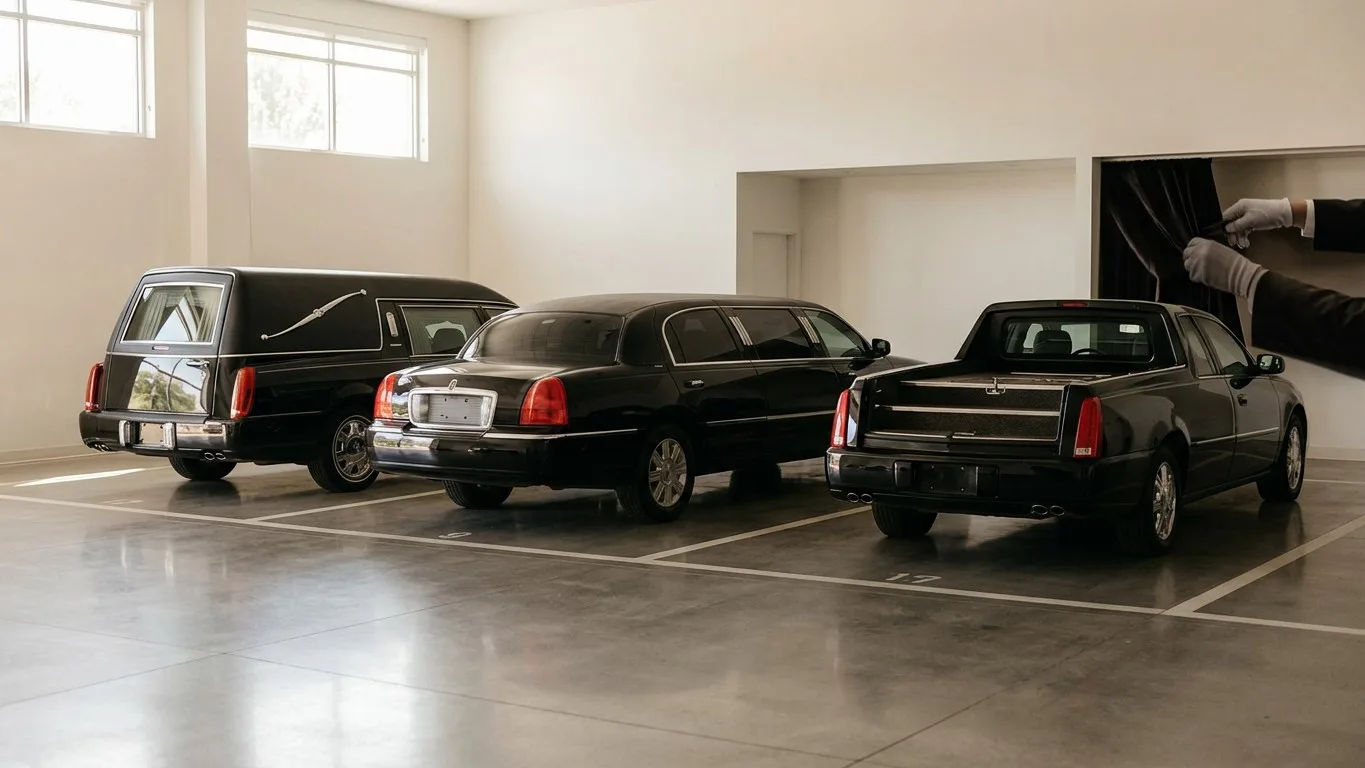
Your vehicles are among your most visible and expensive assets. Effective funeral fleet management ensures they are always clean, well-maintained, and available when needed. Integrating fleet assignments directly into your master schedule is essential for preventing service disruptions and protecting your firm's reputation.
Start by creating a clear inventory of your fleet. Each vehicle—hearse, limousine, flower car, first-call van—should be listed as a distinct, schedulable resource. This allows you to assign a specific vehicle to a specific service, rather than just noting that "a hearse" is needed. This granularity prevents double-booking and helps track usage for maintenance purposes.
When scheduling a service, the workflow should include reserving the necessary vehicles at the same time the event is added to the calendar. For example, when you book a funeral for Saturday at 10:00 AM, you should also block out the primary hearse, a lead car, and a flower van from 9:00 AM to 1:00 PM to account for travel and preparation. This makes their availability (or lack thereof) visible to everyone else on the team.
This system also helps with logistical planning. If two services overlap, a centralized calendar immediately shows the conflict, allowing you to arrange for a different vehicle or adjust service times. It also helps with non-service-related vehicle use. If a car needs to go to the mechanic for an oil change, that appointment should be blocked out on the master calendar just like a funeral. You can find more detailed advice in our Director's Guide to Funeral Vehicle Maintenance and Fleet Care.
Finally, a central schedule simplifies coordination for out-of-town services or processions. You can easily see which vehicle is going where, for how long, and who is driving it. This level of detail reduces the chances of miscommunication and ensures that every logistical element is accounted for ahead of time.
Managing Staff Availability and Assignments
A modern scheduling system is not just about rooms and vehicles; it is about your people. Coordinating staff assignments efficiently ensures you have the right people in the right place at the right time, without causing burnout or confusion. It also provides transparency for on-call rotations and time-off requests.
The first step is to integrate staff schedules into your master calendar. This includes:
- On-Call Rotations: The on-call schedule for directors and removal staff should be a permanent, recurring entry on the calendar. When a first call comes in overnight or on a weekend, anyone in the office can immediately see who is responsible for responding.
- Time-Off Requests: Approved vacation days, personal days, and other appointments should be blocked out on the master calendar. This prevents managers from accidentally scheduling someone for a service when they are unavailable, a common source of frustration in manual systems.
- Specific Service Assignments: When a funeral is booked, the lead director, attendants, and drivers should be assigned directly to the event on the calendar. This clarifies roles and creates accountability. Everyone knows what they are responsible for without needing a separate conversation or email chain.
This approach also improves fairness and workload balance. A manager can look at the calendar over a week or a month and see how many services each director has led or how many removals each attendant has handled. This visibility helps distribute work more evenly and identify staff members who may be overloaded.
For multi-location firms, a centralized staff schedule is even more critical. It allows you to see which staff members are at which location and identify opportunities to share resources. If one location is quiet while another is overwhelmed, you can easily see who might be available to help out, making your entire operation more flexible and resilient.
Choosing the Right Scheduling Technology
While it is possible to build a centralized calendar using a generic tool like Google Calendar or Outlook, funeral home operations have unique needs that these platforms do not always address. The most effective solution is often dedicated funeral home management software that integrates scheduling with all other aspects of your work, from case management to billing.

When evaluating technology, look for a system that connects scheduling directly to your case files. When you create a case, you should be able to schedule the arrangement conference, visitation, and funeral service from within that same record. The information should then automatically populate the master calendar without you having to enter it a second time. This reduces administrative work and eliminates the risk of transcription errors.
Cloud-based software offers a significant advantage for funeral home scheduling. Because the calendar is hosted online, it can be securely accessed and updated by any authorized staff member from any device with an internet connection. A director can confirm a service time on their laptop in the arrangement room, and that update is instantly visible to the office manager on their desktop and the on-call attendant on their phone. This real-time synchronization is something a whiteboard can never offer. For more on this, see our guide on what cloud funeral home software means for your firm.
Kindred, for example, is designed with this integrated approach in mind. The central calendar displays services, appointments, and staff and vehicle availability in one place. Because it is part of a complete case management system, scheduling an event is linked directly to the decedent's record, ensuring all information is consistent. Staff can see the firm's entire schedule or filter it to view only their assignments, providing both a high-level overview and a personalized to-do list.
Implementing Your New Scheduling Process
Transitioning to a new scheduling system requires a clear plan and buy-in from your entire team. It is a change in habits, not just in tools. Start by documenting your current process and identifying its specific pain points. Are vehicles frequently double-booked? Do staff members often miss meetings? Use these concrete problems to explain the 'why' behind the change.
Next, configure your new system. Whether you are using a shared digital calendar or implementing comprehensive funeral home software, take the time to set it up properly. Add all your staff members, vehicles, and schedulable rooms (e.g., chapel, arrangement rooms) as resources. Create clear event categories or color-coding for different types of activities, such as services, removals, and staff time off.
Training is crucial. Hold a team meeting to walk everyone through the new process. Do not just show them the software; explain the new workflow. For example:
- When a first call is received, the information is entered into the system immediately, and the on-call team and a vehicle are assigned.
- During the arrangement conference, the director schedules the visitation and service directly in the system, reserving the chapel and hearse in the process.
- Staff members are expected to check the central calendar at the start of their shift to see their assignments for the day.
Appoint a 'champion' for the new system—someone on the team who is comfortable with the technology and can answer questions from colleagues. Finally, commit to the new process fully. For a transition period, you might run your old system in parallel, but set a firm date to officially retire the whiteboard. Once everyone is using the new system as the single source of truth, the benefits of clarity, efficiency, and reduced stress will become clear.
Conclusion
Modernizing your funeral home's scheduling is about more than just adopting new technology; it's about creating a more organized, reliable, and less stressful environment for your team. By moving from scattered notes and calendars to a single, centralized system, you reduce errors, improve communication, and ensure that your staff and resources are always where they need to be. This operational stability allows you to focus less on internal logistics and more on serving families with the compassion and professionalism they deserve.
A well-managed schedule is the foundation of excellent service. If you are ready to see how a system designed for funeral professionals can bring calm and clarity to your daily operations, we invite you to book a demo of Kindred.